Lesson 5.5
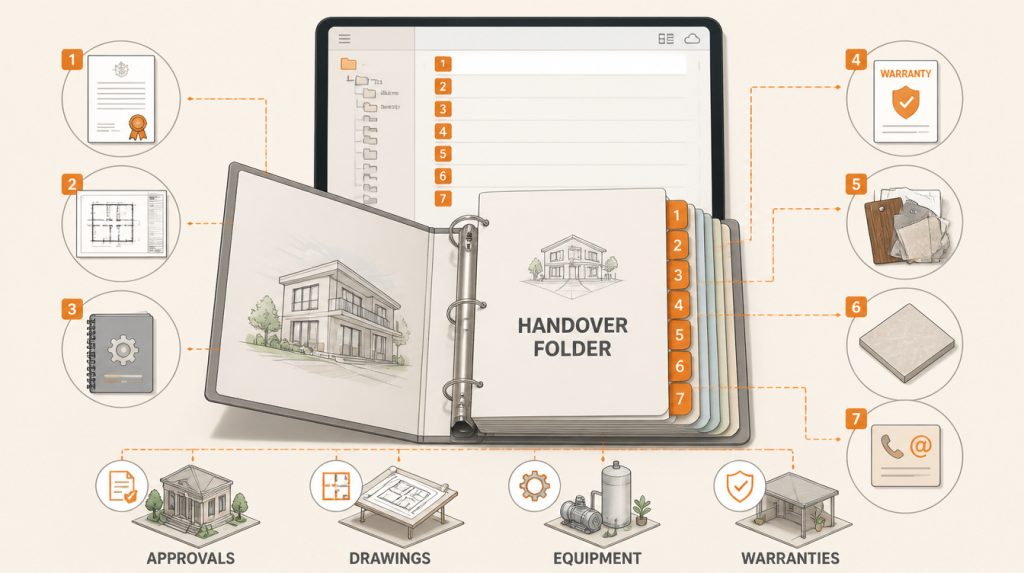
The Handover Folder
01 folder a — approvals & completion folder a — approvals & completion collect the final statutory/project documents applicable to your project.
Handover documentation is future repair information.
Know what was built. Know that it works. Keep the information needed to look after it.
01 Folder A — Approvals & Completion
Folder A — Approvals & Completion
Collect the final statutory/project documents applicable to your project.
Depending on location and project type, this may include:
- approved plans
- completion-related documents
- occupancy-related approvals where required
- relevant NOCs
- utility approvals/connections.
The exact requirements depend on the local authority.
Do not assume “construction finished” means every formal project closure is complete.
02 Folder B — Final Drawings
Folder B — Final Drawings
Ideally retain the final available drawings that reflect what was actually built.
These may include:
The most valuable drawings are the ones that still correspond to reality.
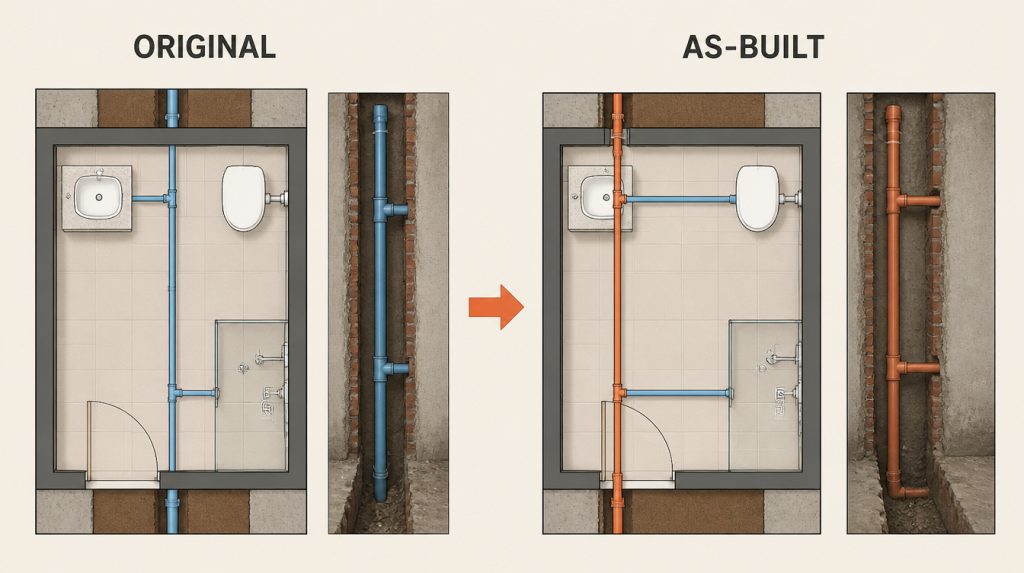
03 What Does “As-Built” Mean?
What Does “As-Built” Mean?
What exists, not merely what was originally intended.
Original drawing:
pipe on left.
Construction change:
pipe shifted right.
As-built record:
pipe shown on right.
That is the principle.
It records meaningful changes made during construction.
04 Folder C — Equipment
Folder C — Equipment
Create a simple register.
WATER PUMP
Brand.
Model.
Serial number.
Purchase date.
Installer.
GEYSER
Brand.
Model.
Warranty.
GATE MOTOR
Brand.
Model.
Manual.
Continue for major installed equipment.
This is far better than searching through old messages later.
05 Folder D — Warranties
Folder D — Warranties
Keep warranties for things such as:
- waterproofing where provided
- windows
- hardware
- pumps
- appliances
- automation
- gate systems
- fittings
- joinery hardware
- equipment.
For every warranty, know:
WHAT IS COVERED?
FOR HOW LONG?
WHO DO I CALL?
A five-year warranty without the installer contact or invoice may not be very useful.
06 Folder E — Finish Schedule
Folder E — Finish Schedule
Future-you will love this.
Record:
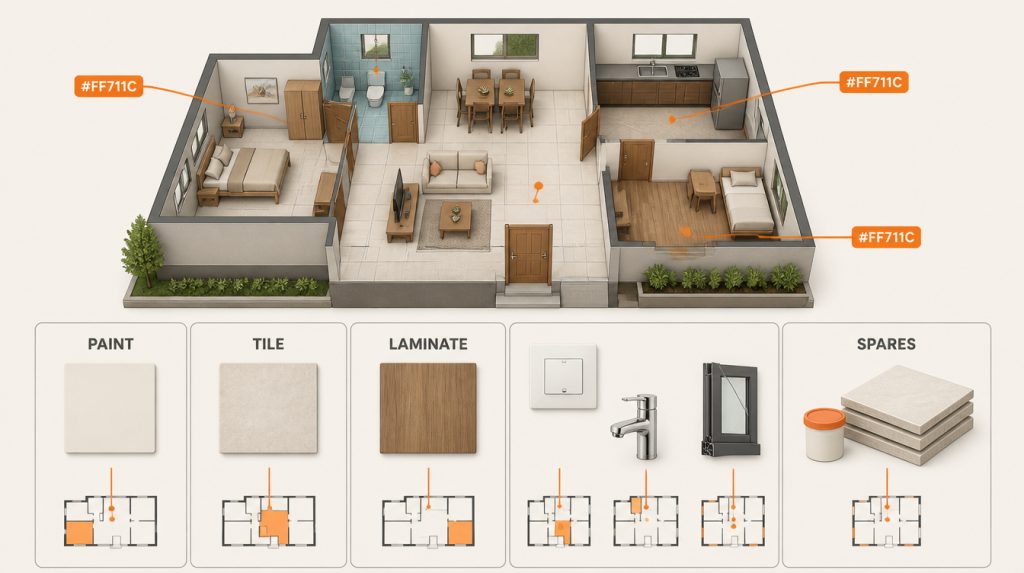
PAINT
Brand + shade + code.
TILE
Manufacturer + range + code + size.
LAMINATE
Brand + code.
SWITCH
Brand + series.
TAP
Brand + model.
SANITARYWARE
Brand + model.
WINDOW
System + glass information where available.
You do not have to record every screw in the house.
Record things you may reasonably need to:
replace
match
repair
07 Keep A Small Quantity Of Spares
Keep A Small Quantity Of Spares
Where practical, retain a few:
- tiles
- specialised floor pieces
- hardware items
- paint information
- uncommon fittings.
Years later, an exact tile range may no longer be available.
A few spare pieces can prevent a small repair becoming a full-room replacement.
08 Folder F — Contacts
Folder F — Contacts
Your final list should answer:
Who do I call?
Leak?
Plumber.
Window issue?
Window vendor.
Gate issue?
Automation/vendor.
Waterproofing concern?
Installer.
Keep the list with the house records.
09 Digital + Physical
Digital + Physical
Some things are better digitally:
- drawings
- photographs
- manuals.
Some physical originals may need safe storage.
Keep digital backups in more than one place if the records are important.
A folder on one old laptop is not an archive.
10 Check Your Understanding
Which record helps a future repair?
One living-room tile cracks. Which record could save significant trouble?
Tile brand + series + code
Original mood board only
Handover documentation is future repair information.
Ownership begins when the project information, controls and maintenance knowledge become yours.
Apply the idea
Match each record to its handover folder.
Complete the decision to finish this scene.