Lesson 3.5
Home Automation
but there is a very simple test: what problem is the automation solving?
Automate the inconvenience, not the house.
Home automation sounds futuristic.
Lights controlled from a phone.
Curtains opening automatically.
AC responding to schedules.
Security connected to sensors.
All of that can be genuinely useful.
But there is a very simple test:
What problem is the automation solving?
01 NO AUTOMATION
Manual control is not outdated simply because smart control exists.
Manual control is not outdated simply because smart control exists.
What changes beyond the visible finish?
The construction, coordination, maintenance and use still matter.
Manual control is not outdated simply because smart control exists.
A conventional home can be extremely easy to operate.
You walk into the room.
Press a switch.
The light comes on.
Advantages
- simple;
- familiar;
- easy to repair;
- little dependence on apps or networks.
Limitation
It cannot easily provide:
- remote control;
- programmed scenes;
- scheduling;
- automatic responses.
If you do not need those things, there may be nothing wrong with manual control.
02 SEMI AUTOMATION
Automate selected things that genuinely help.
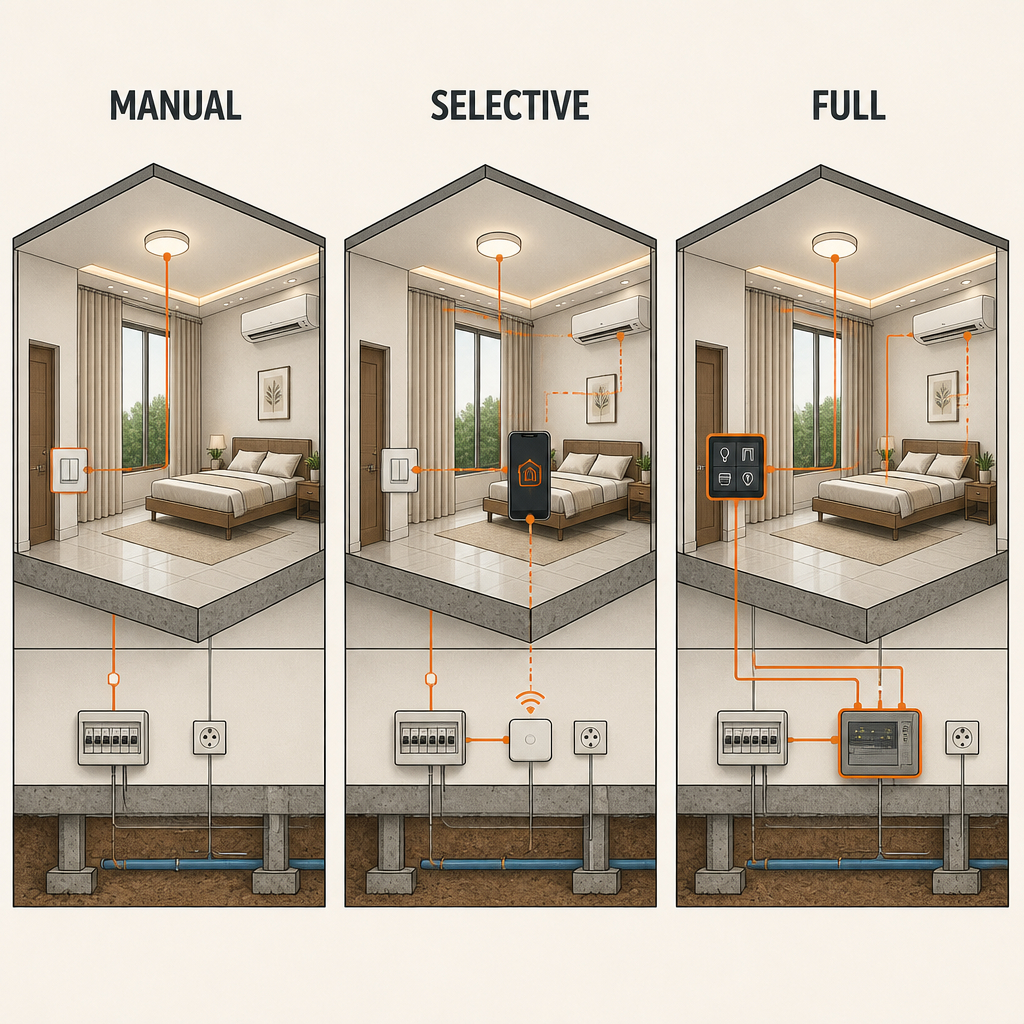
This is often where the most useful automation lives.
For example:
Leave the house and switch off selected lights at once.
Outdoor lighting activates automatically.
Useful for large or difficult-to-reach curtains.
Useful in specific rooms.
Sensors and notifications.
You solve particular inconveniences without making every switch in the house complicated.
03 FULL AUTOMATION
Full Automation
A fully integrated system can coordinate:
- lighting;
- curtains;
- AC;
- security;
- scenes;
- sensors;
- selected appliances;
- entertainment systems.
You could press:
and the house might:
- switch off selected lights;
- close curtains;
- adjust AC;
- arm selected security functions.
That can be excellent.
But it requires more:
design
commissioning
compatibility
networking
maintenance
04 THE ILLUSION
“If everything can be automated, everything should be automated.”
Imagine needing your phone to turn on a bathroom light.
That is not necessarily progress.
Technology should remove friction.
Not add another step.
HighlightAutomation is successful when you stop noticing it.
05 MANUAL OVERRIDE
Manual Override
The upgrade solves a real functional or comfort requirement.
More specification is not automatically more value.
This is one of the most useful principles.
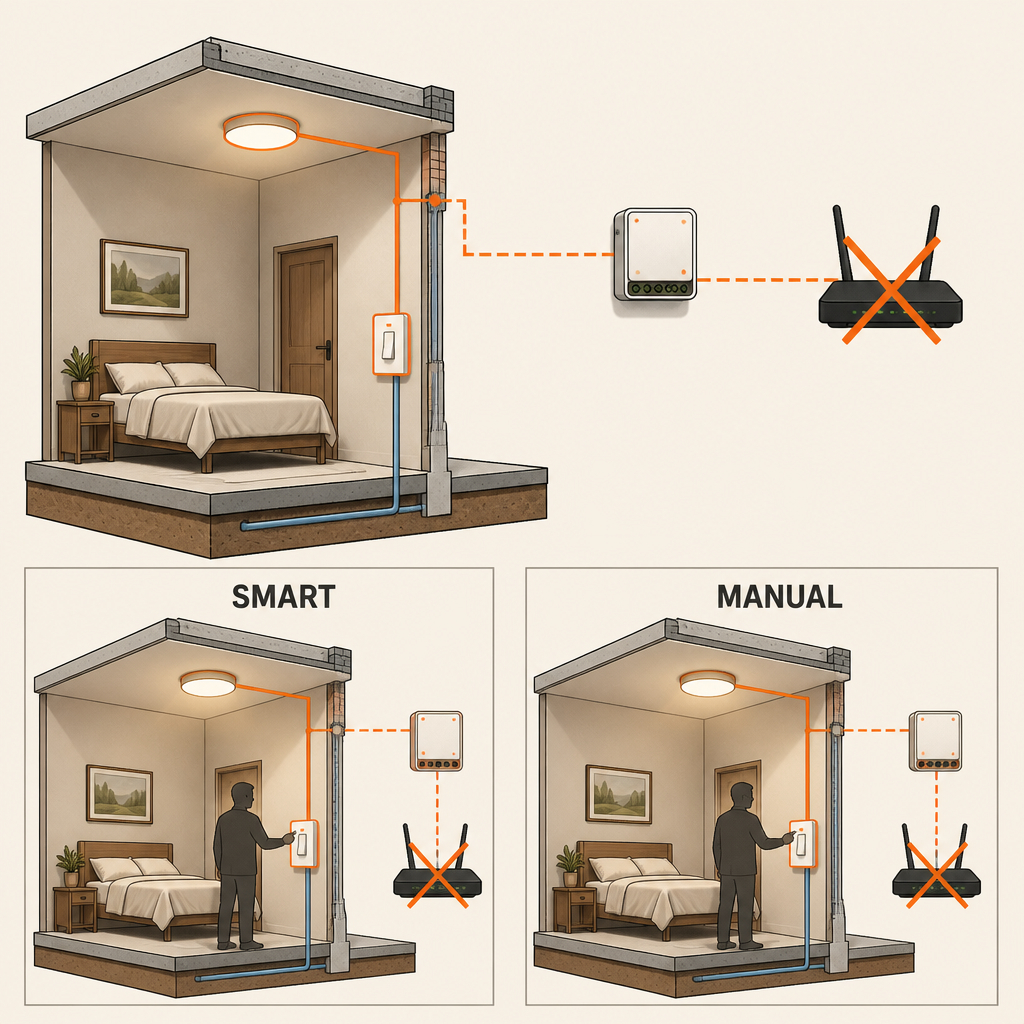
Essential functions should ideally remain understandable and operable even when:
- internet is down;
- app is unavailable;
- somebody unfamiliar uses the house;
- automation hardware needs servicing.
A guest should not need an instruction manual to turn on a bedroom light.
06 WHAT MAKES A GOOD AUTOMATION TARGET?
What Makes A Good Automation Target?
Function
Fit
Coordination
Maintenance
Ask three questions.
If yes, automation may help.
If yes, good candidate.
DOES IT IMPROVE COMFORT / SAFETY / CONTROL?
If yes, there is a real purpose.
Then ask:
That fourth question prevents automation for automation's sake.
07 SYSTEM
System
Automation may touch:
So it needs to be planned before the house is completely finished.
Retrofitting some smart devices is easy.
Building a deeply integrated system later can be much harder.
08 CRAFT
Craft
The useful decision is the one that remains practical after construction is finished.
For any substantial automation:
Know what controls what.
The homeowner should own the accounts.
Especially hidden modules.
A smart house with poor connectivity is not very smart.
Especially for essential daily functions.
What happens five or ten years later?
09 CHECK YOUR UNDERSTANDING
Smart is not more automation.
Scenario loads here.
Automate it
Keep it simple
Smart is useful automation.
Apply the idea
Automate the two recurring inconveniences.
Complete the decision to finish this scene.
Choose exactly 2.